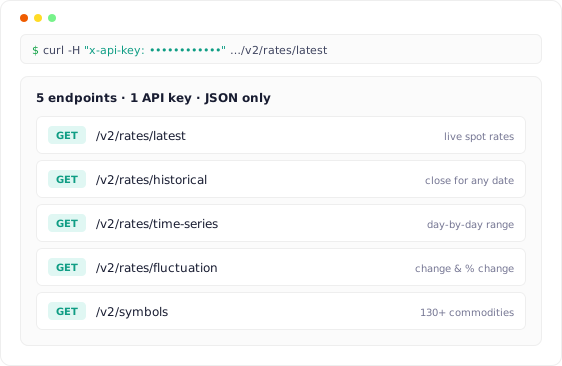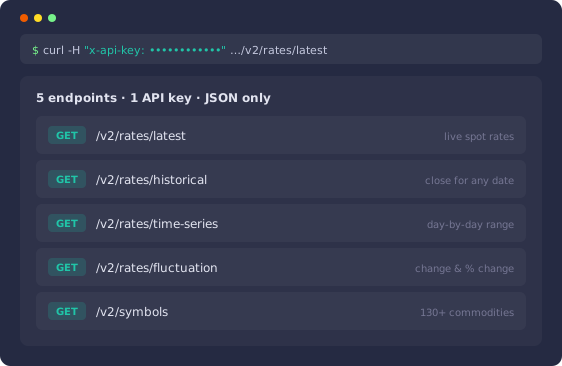


Real-Time Commodity Prices API for Developers
Access live market rates for 130+ assets including Gold, Silver, WTI Crude, and Brent Oil. Integrate high-frequency JSON data with 60-second updates into any application in minutes.
Unlimited free trial for integrations. No credit card required.
Our API is easy to use and can be integrated into your application in minutes
Simple fast and reliable
Access an extensive list of 130+ commodities, from precious metals to energy resources. Our API provides comprehensive coverage, ensuring you have all the information you need in one place.
Easy to integrate
Our API is easy to integrate into your application and can be integrated in minutes. We provide comprehensive documentation and support to help you get started.
No complex contracts
We offer a simple, flexible pricing structure. You can choose between a monthly or annual subscription, and you can cancel at any time. We also offer a 7-day free trial
Trusted Data Sources
Our data is sourced from trusted exchanges and financial institutions.
Custom Quote Currency
Get commodity prices to any currency of your choice. Our API supports 175+ currencies.
Get your API key today
CommodityPriceAPI is the easiest way to get real-time and historical prices for a diverse range of commodities. Our API is easy to use and can be integrated into your application in minutes.
Commodity Price API Documentation
Simple and easy to use API for commodity prices. Get real-time and historical data for oil, gold, silver, corn, wheat, natural gas and more.
CommodityPriceAPI
CommodityPriceAPI provides a simple REST API for live and historical rates for 130+ commodities in a simple JSON format. Rates are available historically for all days going back up to 1st January, 1990.
This documentation provides complete details of the features and options available in this API.
Base API URL
https://api.commoditypriceapi.com/v2Authentication
The CommodityPriceAPI uses API keys to authenticate requests. Each request must contain your API key via an apiKey query parameter or x-api-key request header.
In order to use the API, you need to sign up. No credit card required. Once you've created your account, get your API key from your dashboard, where you can also extend your trial, manage your subscription, and monitor usage.
Get Your API Key
You can get your API key from the Dashboard page.
Send Your API Key
The API Key may be sent in two ways:
- Request Parameter — include an
apiKeyparameter in your request's query string. - Request Header — include an
x-api-keyrequest header with each request.
Track Usage
You can track your API usage in the Dashboard and via the Usage endpoint.
Errors and Codes
The CommodityPriceAPI returns error status using both conventional HTTP codes and error messages within the JSON response body. The error body will have the following attributes:
Error Body
timestampDATE
API responses contain a timestamp field of type DATE. It is used to identify the time of the request.
pathString
API responses contain a path field of type String. It is used to identify the request path.
codeString
API responses contain a code field of type String. This denotes the status code for the error.
errorString
A short, standardized error code indicating the type of error. Common values include VALIDATION_ERROR, BAD_REQUEST, UNAUTHORIZED, etc. Useful for programmatic error handling.
messageString
A human-readable description providing details about the error. It explains what went wrong and may offer guidance on how to resolve the issue.
HTTP Status Codes
The API returns a 200 HTTP status in case of a successful request and error status via the HTTP status codes below. The error object has the attributes mentioned above. The following table contains the common errors.
| Code | Error | Message |
|---|---|---|
| 400 | VALIDATION_ERROR | Symbols are required in the query parameters |
| 401 | API_KEY_NOT_FOUND | API key is missing from the request. Please include your API key in the request headers |
| 402 | PAYMENT_REQUIRED | Please extend your trial or subscribe to a plan to continue using the API |
| 402 | PAYMENT_REQUIRED | User does not have an active subscription. |
| 402 | PAYMENT_REQUIRED | Maximum symbols per request exceeded |
| 403 | LIMIT_REACHED | API key usage limit reached, Please upgrade your plan. |
| 404 | USER_NOT_FOUND | The user with the specified API key was not found (Invalid API key) |
| 404 | SYMBOL_NOT_FOUND | The symbol is not supported, please visit the documentation for a list of supported symbols |
| 429 | TOO_MANY_REQUESTS | Too many requests, please try again in a minute |
| 500 | SERVER_ERROR | A server error occurred and the request was not able to be processed. |
Supported Symbols
Browse the full list of commodity symbols supported by the API, including their category, default currency, and measuring unit.
Quoted Currencies
Premium and Plus subscribers can request rates in any of the supported quote currencies. Browse the full list to find the currency code you need.
Usage Endpoint
Returns the current usage and quota information for your account.
Endpoint
Request Object
apiKeystringrequiredYour unique API key. Note: may also be passed viax-api-keyheader.
Response Object
planstringYour current plan name.quotaintegerYour current allotted quota.usedintegerYour usage since start of month, subscription, or trial.
Response JSON
Symbols Endpoint
Returns the complete information of all supported commodities, including symbol, category, currency (code, name, symbol), measuring unit and name.
Endpoint
Request Object
apiKeystringrequiredYour unique API key. Note: may also be passed viax-api-keyheader.
Response Object
successbooleantrueif the request was successful,falseif there was an error.symbolsobject []Array of available commodity symbols with their metadata.
Response JSON
Latest Rates
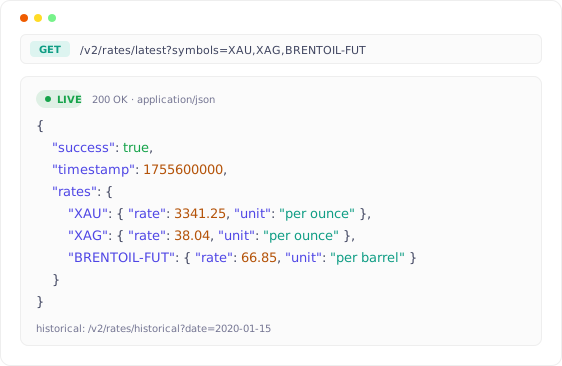
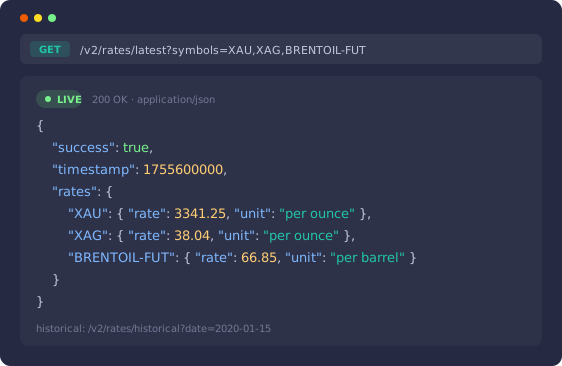
Returns the latest rates for the specified symbols. Depending on your subscription plan, the latest rates may be delayed by up to 10 minutes.
Lite users receive rates in the default quote currency of a commodity. Premium and Plus users can customize the quote currency via a query parameter.
Latest rates for deprecated symbols are not available; however, you can access historical rates up to a symbol's deprecation date. View deprecated symbols.
Endpoint
Request Object
apiKeystringrequiredYour unique API key. Note: may also be passed viax-api-keyheader.symbolsstring []requiredComma-separated list of commodity symbols.quotestringoptionalTarget currency for the exchange rate; if omitted, the default quote currency is used. View supported quote currencies.
Response Object
successbooleanBoolean indicator of API request success.truefor successful requests.timestampnumberUnix timestamp indicating when the response was generated.ratesobjectObject containing the current rates for each requested commodity.metaDataobjectObject containing metadata for the symbols, such as their unit and quote currency.
Response JSON
HTTP Error Codes
| Code | Error | Message |
|---|---|---|
| 404 | QUOTE_NOT_FOUND | The quote currency is invalid, please visit the documentation for a list of valid quote currencies |
Historical Rates
Historical rates are available for most commodities since 1990-01-01. Query the API for historical rates by passing a date (format YYYY-MM-DD) as a URL parameter.
If the rate of a commodity for a specific date is unavailable, the API returns the most recent available rate along with its corresponding date.
For monthly commodities, only their closing rates are available in the historical data. See the available symbols.
Endpoint
Request Object
apiKeystringrequiredYour unique API key. Note: may also be passed viax-api-keyheader.symbolsstring []requiredComma-separated list of commodity symbols.datestringrequiredDate for which the rates are requested. Format:YYYY-MM-DD.
Response Object
successbooleanBoolean indicator of API request success.datestringDate for which the user requested the commodity price. Format:YYYY-MM-DD.ratesobjectObject containing the requested rates.rates.datestringDate for which commodity prices were fetched. Format:YYYY-MM-DD.rates.opennumberThe opening price of the commodity on the given date.rates.highnumberThe highest price of the commodity recorded on the given date.rates.lownumberThe lowest price of the commodity recorded on the given date.rates.closenumberThe closing price of the commodity on the given date.
Response JSON
HTTP Error Codes
| Code | Error | Message |
|---|---|---|
| 400 | VALIDATION_ERROR | Date is required in query params. |
| 400 | VALIDATION_ERROR | Invalid Date Format (YYYY-MM-DD). |
| 400 | VALIDATION_ERROR | Invalid Date: The provided date does not exist. |
| 404 | RATE_NOT_FOUND | No rate found for the specified date. |
Time Series
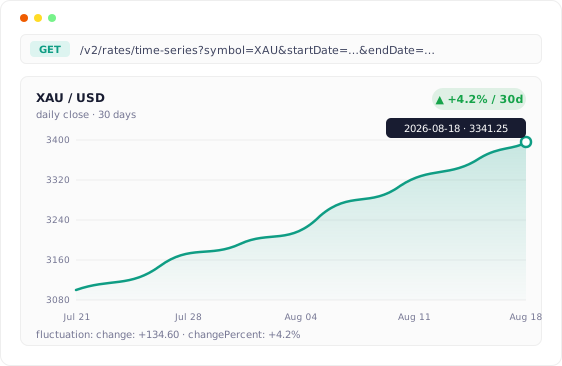
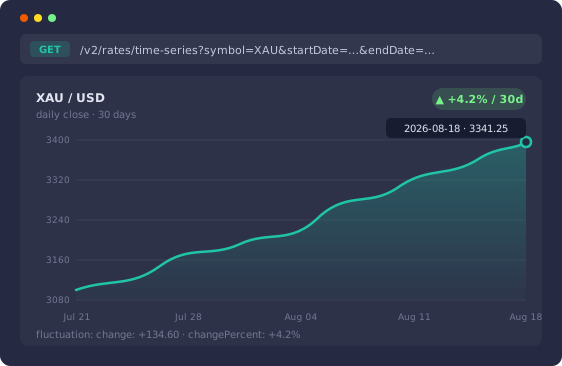
Query the API for daily historical rates between two dates of your choice. The difference between start and end date should not exceed 1 year.
For monthly commodities, only their closing rates are available in the time-series data.
Endpoint
Request Object
apiKeystringrequiredYour unique API key. Note: may also be passed viax-api-keyheader.symbolsstring []requiredComma-separated list of commodity symbols.startDatestringrequiredStart date for the time series. Format:YYYY-MM-DD.endDatestringrequiredEnd date for the time series. Format:YYYY-MM-DD.
Response Object
successbooleanBoolean indicator of API request success.startDatestringStart date for the time series. Format:YYYY-MM-DD.endDatestringEnd date for the time series. Format:YYYY-MM-DD.ratesobjectObject containing the requested rates, keyed by date.
Response JSON
HTTP Error Codes
| Code | Error | Message |
|---|---|---|
| 400 | VALIDATION_ERROR | startDate is required in query params |
| 400 | VALIDATION_ERROR | endDate is required in query params |
| 400 | VALIDATION_ERROR | Invalid date format specified for start or end date |
| 400 | VALIDATION_ERROR | Start date cannot be after end date |
| 400 | VALIDATION_ERROR | Date range exceeds the allowed limit. |
| 400 | VALIDATION_ERROR | Invalid Date: The provided date does not exist. |
| 404 | DATA_NOT_FOUND | No data found for the specified date range |
Fluctuation
Returns information about how rates of different commodities fluctuate over a date range. Provide a startDate and endDate as query parameters and select which symbols you want to query.
Endpoint
Request Object
apiKeystringrequiredYour unique API key. Note: may also be passed viax-api-keyheader.symbolsstring []requiredComma-separated list of commodity symbols.startDatestringrequiredStart date for the fluctuation. Format:YYYY-MM-DD.endDatestringrequiredEnd date for the fluctuation. Format:YYYY-MM-DD.
Response Object
successbooleanBoolean indicator of API request success.startDatestringStart date for the fluctuation. Format:YYYY-MM-DD.endDatestringEnd date for the fluctuation. Format:YYYY-MM-DD.ratesobjectObject containing the requested rates per symbol.rate.startRatenumberStarting rate for the fluctuation.rate.endRatenumberEnding rate for the fluctuation.rate.changenumberThe change between the starting and ending rates. Negative values represent a decrease.rate.changePercentnumberThe change percent between the starting and ending rates. Negative values represent a decrease.
Response JSON
HTTP Error Codes
| Code | Error | Message |
|---|---|---|
| 400 | VALIDATION_ERROR | startDate is required in query params. |
| 400 | VALIDATION_ERROR | endDate is required in query params. |
| 400 | VALIDATION_ERROR | Invalid date format specified for start or end date. |
| 400 | VALIDATION_ERROR | Start date cannot be after end date |
| 400 | VALIDATION_ERROR | Invalid Date: The provided date does not exist. |
| 404 | DATA_NOT_FOUND | No data found for the specified date range |